The Comers Shopify theme
Your brand. A whole new storefront.
Install Comers, shape the header, footer and every page, and build your own designs from sections and blocks. Every guide tells you exactly where to click.
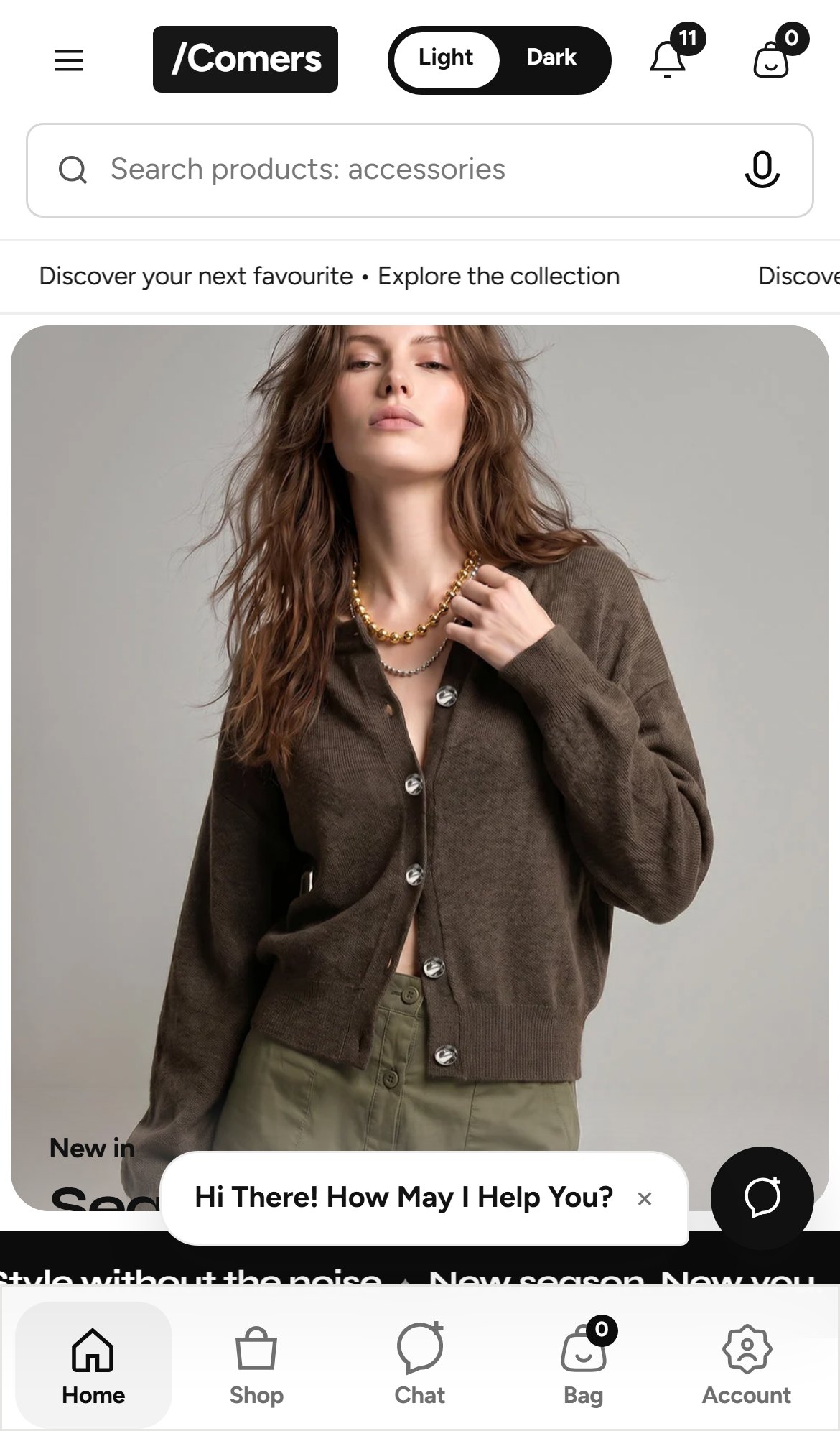
- Mobile 64%
- Desktop 36%
Why Comers
- 56 sections, 384 block types
- App-style mobile tab bar
- Light and dark mode built in
- Restyle anything, no code
01 / Your setup path
From ZIP file to finished store.
Six stages, in the order that saves the most rework. Follow them start to finish for a first setup, or open the one you need today.
- Step 01
Install the theme
Upload the ZIP, preview it beside your current theme and publish when ready.
10 min - Step 02
Learn the editor
Templates, sections, blocks and theme settings in a five-minute tour.
8 min - Step 03
Set your brand
Logo, eight core colours, fonts, page width and the Comers design system.
15 min - Step 04
Header & footer
Menus, mega menu panels, icon order, newsletter signup and footer columns.
35 min - Step 05
Build each page
Homepage, product, collection, cart and content pages, one at a time.
85 min - Step 06
Make it your own
Create templates, combine sections into new layouts and add custom code.
25 min
02 / Customise anything
Pick a part of your store. We will show you how.
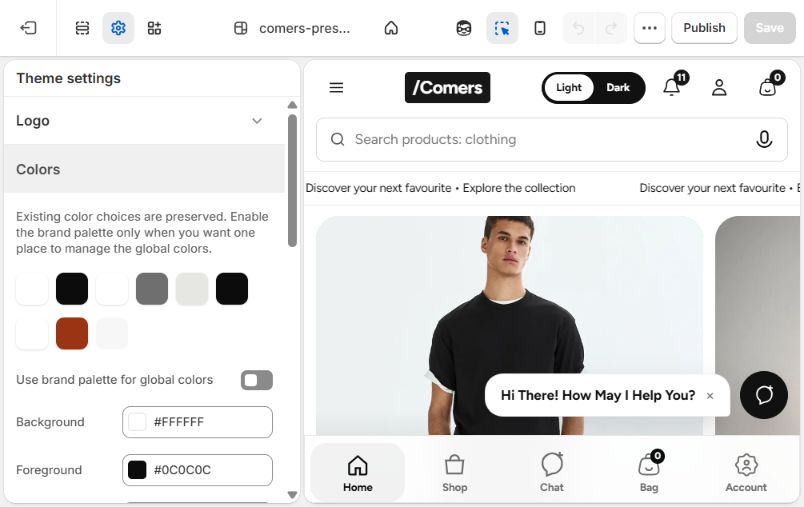
A header that fits your brand
Choose from three desktop layouts, float it over the hero, and decide the order of every icon.
- Mega menu panels with image or video
- Reorder or hide any header item
- Your own bag, search and menu icons
03 / Sections and blocks
Build your own design, block by block.
Comers pages are stacks of sections, and sections are made of blocks. Learn the idea once and you can build any layout.
- Template
A page type, such as Home page or Default product.
- Section
A full-width strip, such as CM Hero or CM Featured collection.
- Block
One item inside a section, such as a slide, a card or the product price.
04 / Section library
56 sections, fully documented.
Homepage
20 sectionsHeroes, rails, grids and editorial sections.
CM HeroCM Mobile hero sliderCM Story panelCM Shop by category+ 16 moreBrowse homepageProduct page
8 sectionsProduct information and supporting sections.
CM Product informationCM Related productsCM Before / afterCM Complementary products+ 4 moreBrowse product pageCart & catalog
6 sectionsCollections, search and the cart.
CM Cart drawerCM CollectionCM CartCM Collections list+ 2 moreBrowse cart & catalogHeader & footer
6 sectionsNavigation shared by every page.
CM HeaderCM FooterCM Mobile tab barCM Assistant+ 2 moreBrowse header & footerContent pages
11 sectionsPages, blog, contact and newsletter.
CM Contact formCM Image with textCM ArticleCM Blog+ 7 moreBrowse content pagesSystem & advanced
5 sectionsCustom code, 404 and password pages.
CM Advanced controlCM Custom LiquidCM 404CM Password page+ 1 moreBrowse system & advanced05 / What's new
Updated every week, new features every month.
Weekly updates
Week of 5 October 2026- 10 OctThemeCM+ Builder
A free-form section with 38 block types and ten starting layouts. CM+ blocks also work inside product, collection, cart, search, page and blog sections.
- 10 OctThemeFour blog sections
Blog spotlight and Blog carousel for any page, plus a new blog listing page and article page.
- 10 OctThemeHero: six slides, eight transitions
Set the number of slides in the hero itself, with four new transitions. Also new: CM Hero blocks and CM Promo spotlight.
- 10 OctDocsReference expanded to 56 sections
Seven new sections and every new block and setting are documented, with their real default values.
- 8 OctDocsIllustrated theme-editor panels
Every guide step and every setting now shows the control with the theme's real default values.
- 7 OctDocsStep-by-step guides
Guides for install, header, footer, every page type and building your own design.
New this month
October 202606 / Before you begin
Frequently asked questions.
Stuck on something specific? The troubleshooting guide covers the ten most common setup problems.
Will installing Comers change my live store?
No. An uploaded theme is added to your theme library as unpublished. Customers keep seeing your current theme until you press Publish, and your old theme stays in the library so you can switch back in one click.
Do I need to know how to code?
No. Every guide here uses the Shopify theme editor only. Code is optional and limited to two places: the CM Custom Liquid section and the Custom CSS box, both covered in Build your own design.
What is the difference between a section and a block?
A section is a full-width strip of a page, such as a hero or a product rail. A block is one item inside it, such as a slide or a card. You add, reorder and hide both from the editor sidebar.
Can I create my own page layouts?
Yes. Create a new template in the theme editor, add any combination of Comers sections, then assign that template to a page, product or collection. The Build your own design guide includes three ready-to-follow recipes.
Where do I change colours and fonts for the whole store?
In Theme settings, under Colors and Typography. Each section can then override the global colours in its own CM customise group when you want it to stand out.
Ready when you are
Install Comers in ten minutes.
Eight short steps. Your live store stays untouched until you publish.